
Crystal-clear calls,
any number you like.
Make and receive calls over your existing internet connection — no landline needed. Choose a new number in almost any area code, or bring your existing one with you. From just R50 per month.
Phone calls, sorted properly.
No More Landline Fees
Skip the copper line rental. Make calls over the internet you already pay for, from R50 per month.
Keep Your Number
Already have a landline? Port it across and keep the number your clients already know and trust.
Crystal-Clear HD Calls
Built on modern voice codecs for genuinely clear call quality — not the tinny sound of old-school VoIP.
One Device at a Time
Connect your Site Essence VoIP service to one compatible device at a time for a simple, focused calling experience.
Free Calls Between Our Numbers
Calling another Site Essence VoIP number costs nothing, no matter where in South Africa you both are.
Real Support, 7 Days a Week
Real humans on WhatsApp, phone and email — not a call centre queue.
← Swipe to see more →
All major area codes available.
Pick a new number in the area code that suits you, or port your existing landline number across — starting from R50 per month.
← Swipe to see more →
Choose the minutes that suit you.
Every package includes standard local South African calling minutes. Billing is by debit order only, with a R100 once-off setup fee.
← Swipe to compare packages →
Everything included, one flat price.
Calling
Important to Know
Works On Anything
Numbers
Billing & Support
Simple, transparent calling rates.
Your monthly package covers standard local South African calls. Additional usage is charged from your prepaid airtime balance.
Standard local calls
Your included package minutes cover standard local South African calls.
Additional usage
Usage outside your included allowance is deducted from your prepaid airtime balance.
Airtime rollover
Oldest rolled-over airtime is automatically used first before newer monthly airtime.
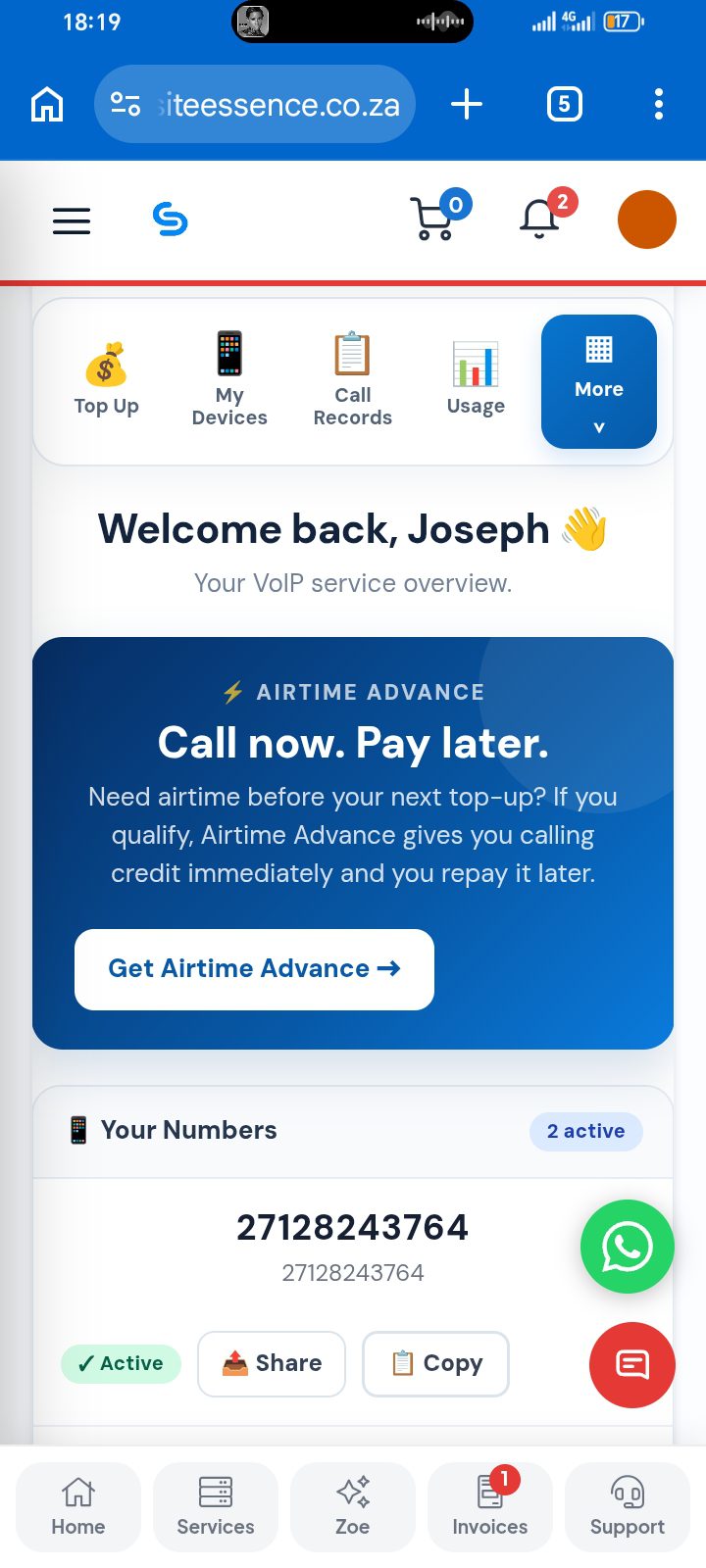
Everything you need, right from your account.
Manage your Site Essence VoIP service yourself, without waiting for someone to update your account.
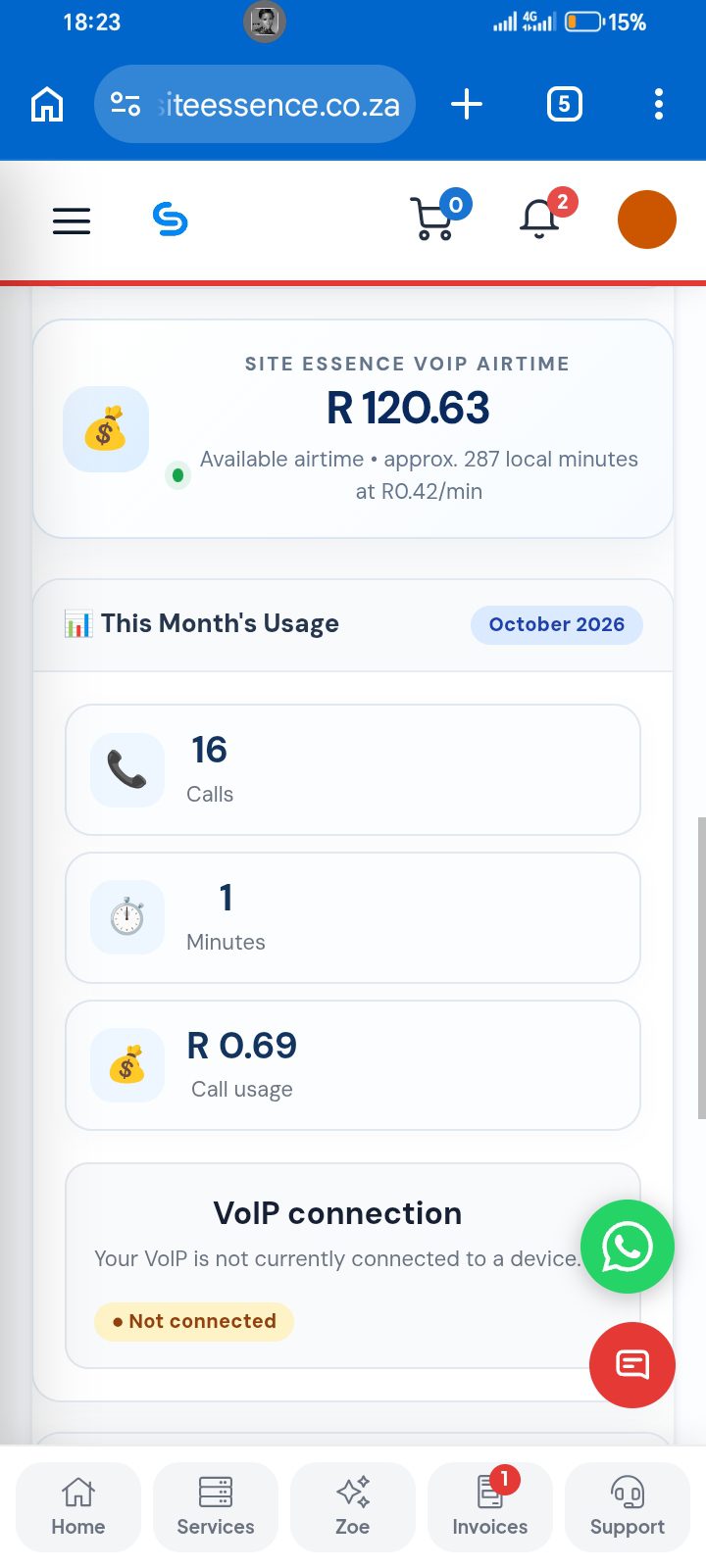
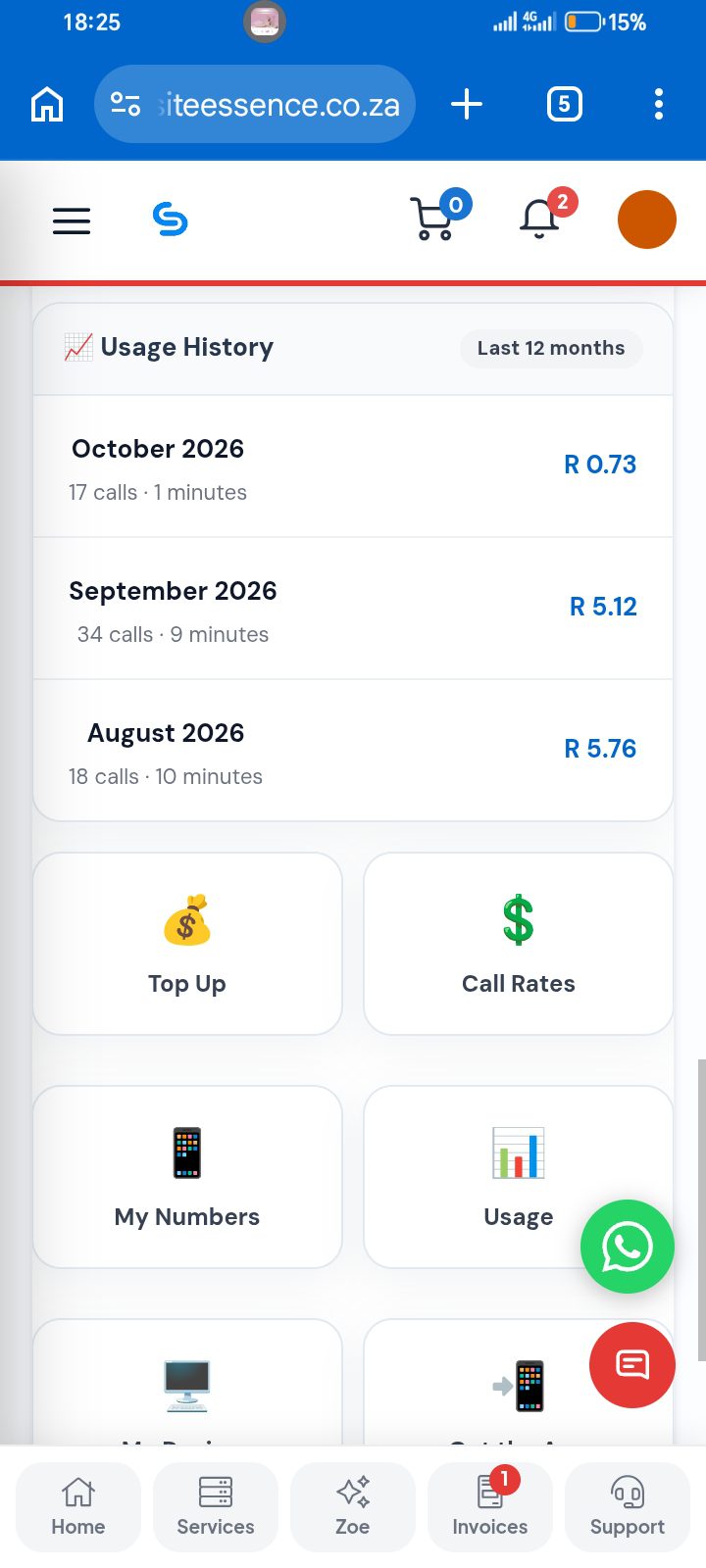
Usage dashboard
See your current calling usage, minutes used, calls and spending at a glance.
Live airtime balance
Check your available calling credit and top up when you need it.
Call records
Review your calling history with filters for dates, direction and numbers.
Transactions
See airtime top-ups, credits, reversals and other balance activity in one place.
Device connection status
See whether your Site Essence VoIP number is currently connected to a device.
Low-airtime alerts
Get a warning when your prepaid airtime balance is running low.
Automatic top-ups
Once your payment is confirmed, eligible airtime top-ups are applied automatically.
Automatic service protection
If an account becomes suspended for non-payment, calling access is automatically restricted and restored when the service is active again.
Simple settings
Manage available VoIP options and account preferences from your customer portal.
Manage your VoIP —
right from your account.
No need to call in for the small stuff. Log into your account and handle it yourself, any time.
- ✓View your call history
- ✓Manage your registered devices
- ✓View your usage and monthly minutes
- ✓Check your balance & top up airtime
- ✓Log & track support tickets
VoIP questions answered.
What is VoIP and how is it different from a normal phone line?
Do I need a special phone?
Can I keep my existing landline number?
Which area codes can I choose from?
Is there a contract?
What happens if my internet goes down?
How does airtime rollover work?
How do I pay?
Is RICA required?
From sign-up to
your first call.
Getting started with Site Essence VoIP is simple. Your number is set up within 24 hours, and we provide exceptional support every step of the way.
Six simple steps. That’s it.
Place Your Order
Choose your Site Essence VoIP package and preferred number or area code.
Submit RICA Documents
Provide your proof of ID and proof of address so we can complete your RICA verification.
Make Payment
Complete your payment by debit order as required for the VoIP service.
Receive Your Number
Your Site Essence VoIP number is set up within 24 hours once your order and RICA requirements are complete.
Connect Your App
Connect your VoIP app or compatible SIP device using the details provided in your account.
Manage Your VoIP
View usage, call records, transactions, devices and airtime directly from your Site Essence account.
Call from whatever you’ve already got.
No need to buy new hardware unless you want to — Site Essence VoIP works across all of these.
Physical VoIP Phone
Order a VoIP handset during signup and we’ll pre-configure it for you — plug it in and start calling. Your service connects to one device at a time.
Softphone App
Install our app on iOS or Android and make calls from your smartphone, anywhere you have data or WiFi. Your VoIP service connects to one device at a time.
Web & Desktop Calling
Make and receive calls from your browser or desktop when your VoIP service is connected to that device.
Your Own SIP Device
Already have a compatible VoIP handset from another provider? Just enter your Site Essence details and go.